
Charging History
History Overview
Access your charging history by tapping the History tab in the bottom navigation bar.
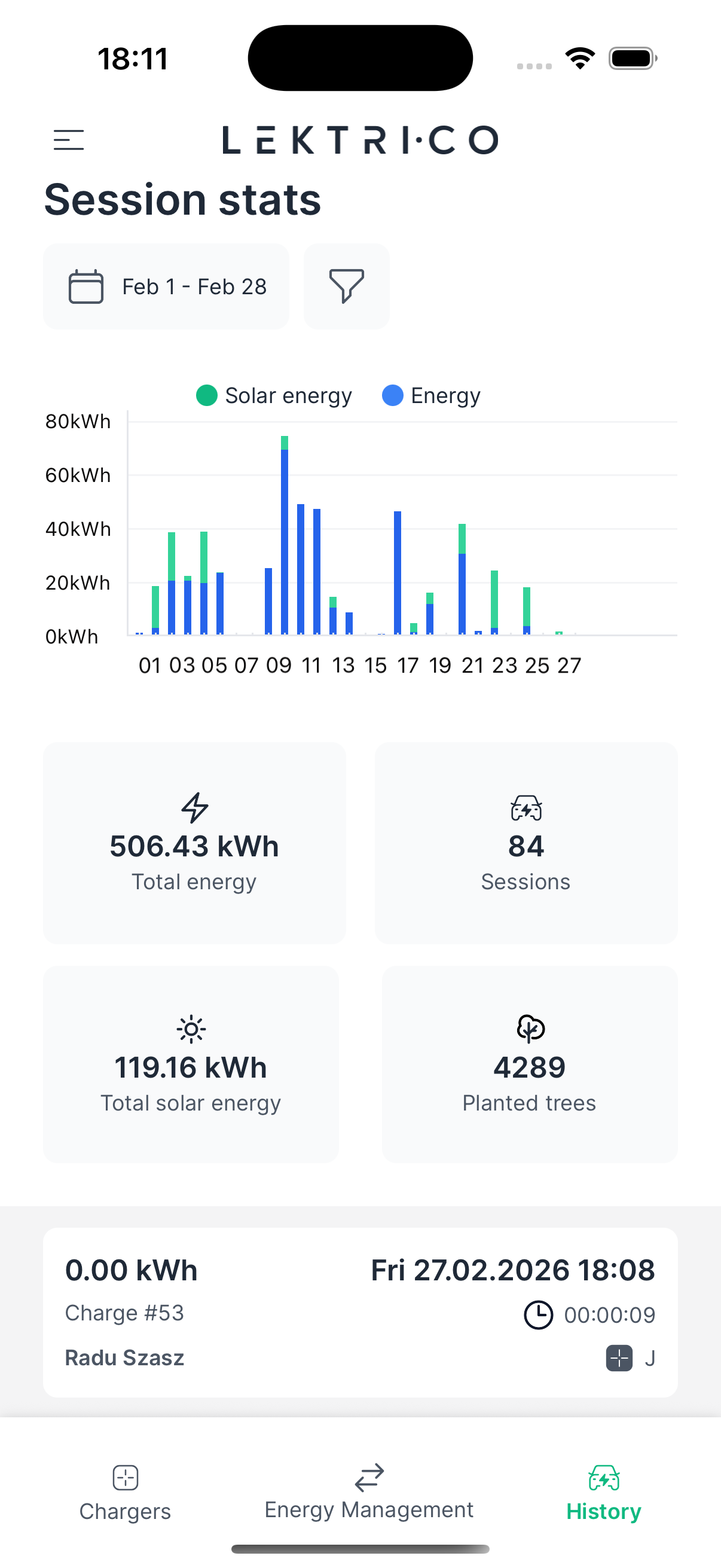
The history screen displays:
- Session stats: A bar chart showing energy delivered per session over time
- Total energy: Combined energy consumption in kWh
- Sessions: Total number of charging sessions
- Total solar energy: Amount of green energy used in kWh
Use the time range toggles to switch between Weekly, Monthly, and Yearly views.
---
Session List
Below the chart, all charging sessions are listed in chronological order.
Each session entry shows the date, energy delivered (kWh), duration, and cost (if tariffs are configured). Tap on any session to view its full details.
---
Session Detail
Tapping a session opens a detailed breakdown of that charging session.
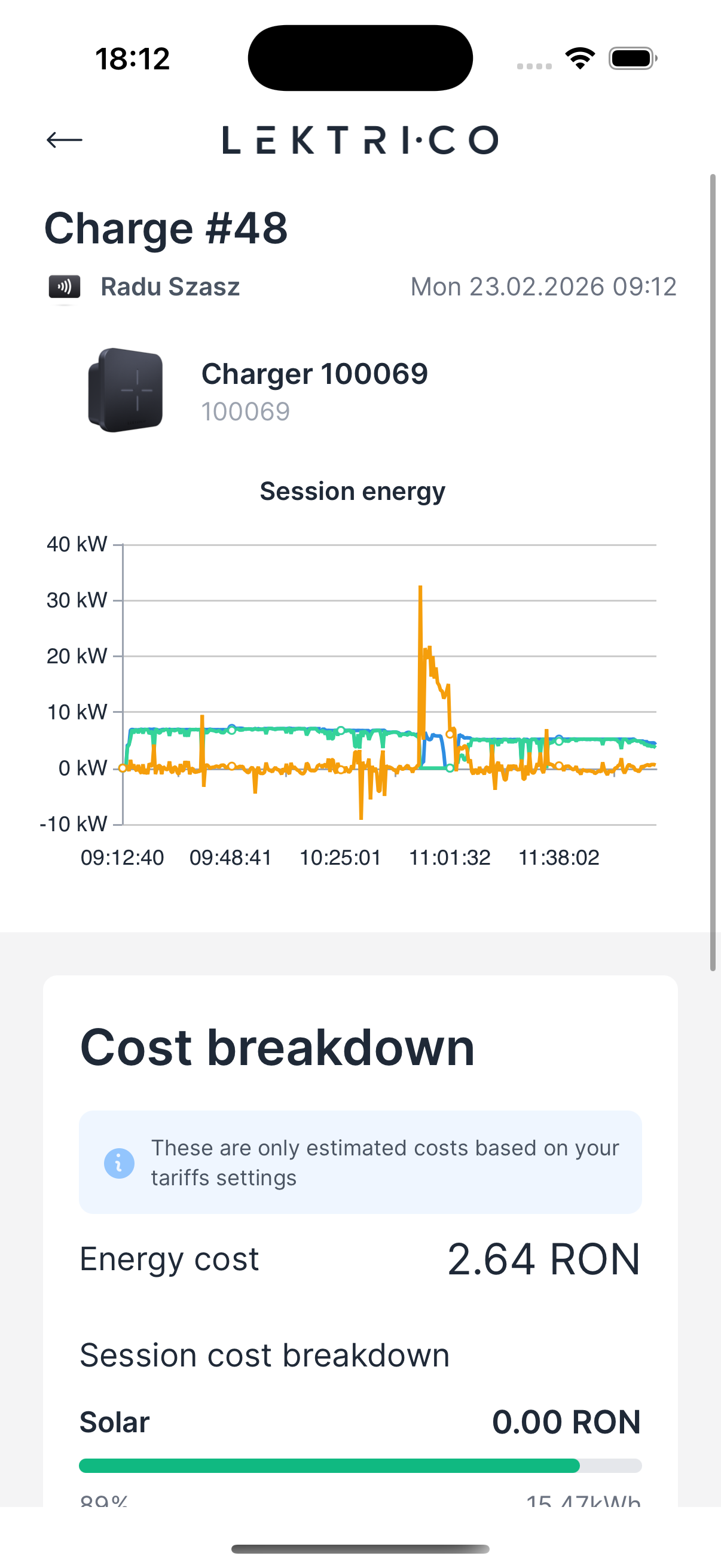
- Power chart: Displays the power output over the duration of the session
- Cost breakdown: Shows energy cost and total session cost (when tariffs are configured)
- Session tariffs breakdown: Lists which tariffs were applied during the session and their respective costs
- Session green energy: Percentage and total amount of solar energy used during the session
---
Filters
You can filter the history by date range and by charger.
Date Range Filter
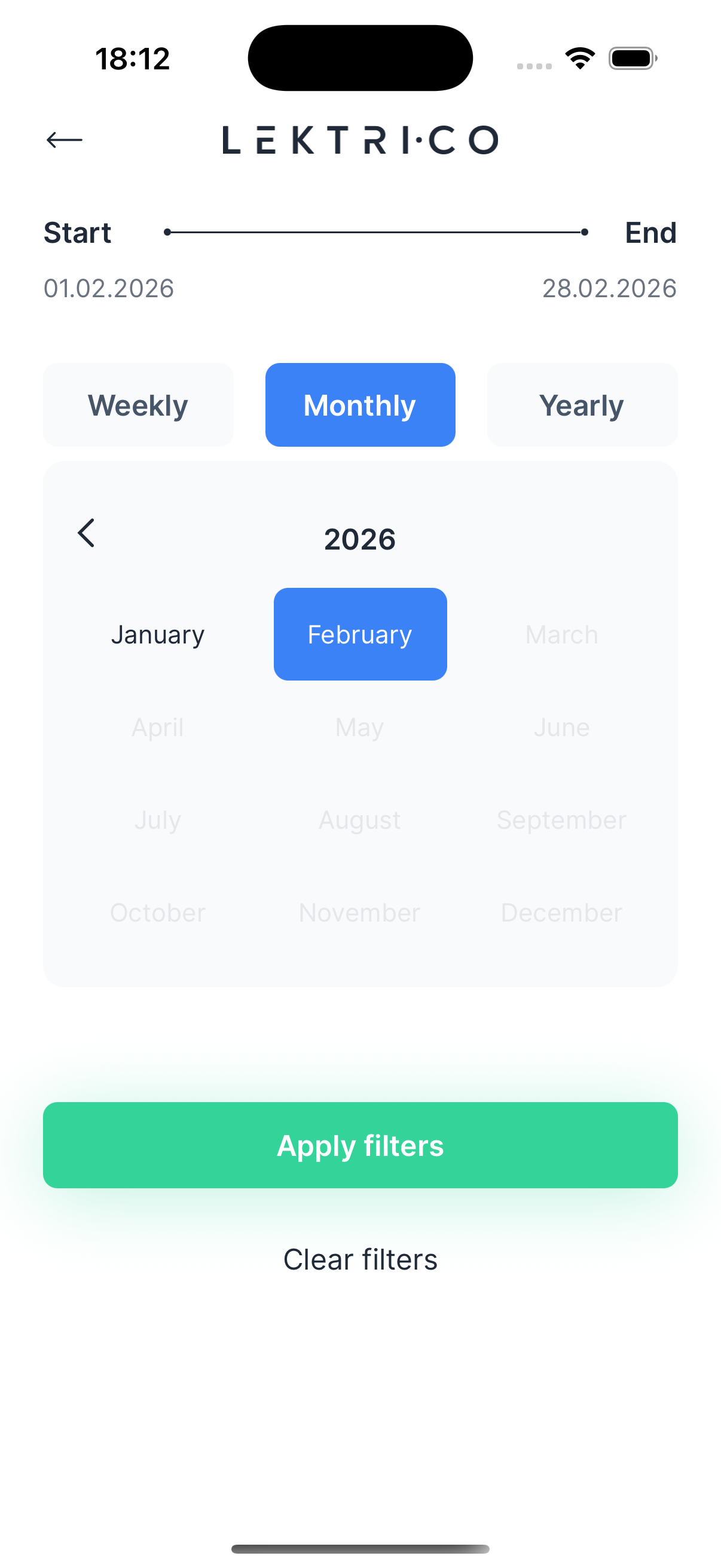
1. Tap the filter icon on the history screen.
2. Select the "Start" and "End" dates using the calendar picker.
3. Tap "Apply filters" to update the view.
Charger Filter
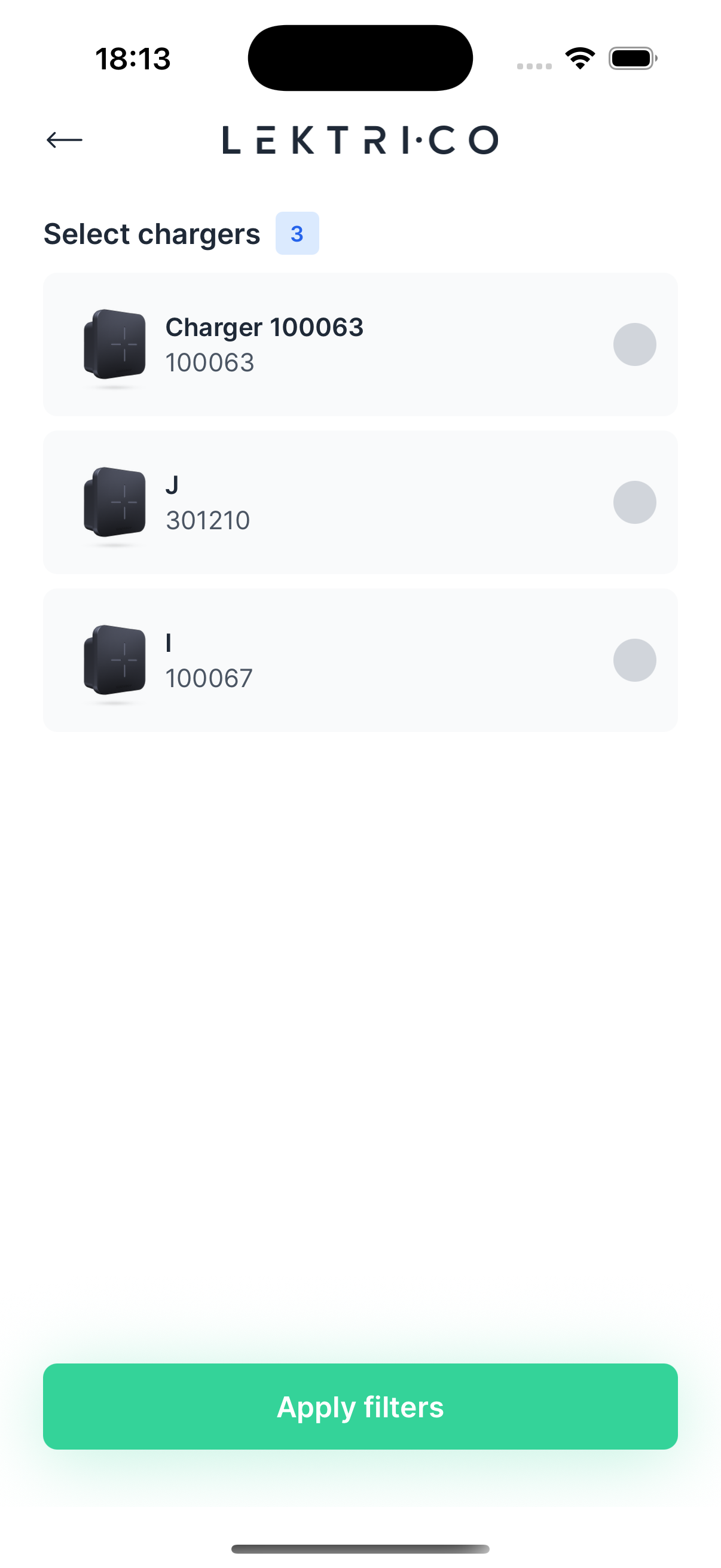
1. Tap "Select chargers" to filter by specific chargers.
2. Check or uncheck the chargers you want to include.
3. Tap "Apply filters" to confirm.
To reset all filters, tap "Clear filters" red icon from the history list.